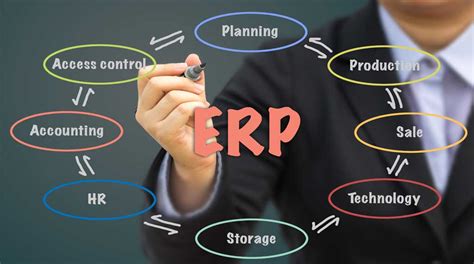
In today’s fast-paced business environment, small businesses face numerous challenges to stay competitive. One of the most crucial aspects of running a successful small business is efficient management of operations and resources. This is where Enterprise Resource Planning (ERP) software comes into play. In this article, we will explore the importance of ERP software for small businesses, its benefits, and key features to consider. We will also discuss popular ERP solutions available in the market.
What is ERP Software for Small Business?
ERP software for small business refers to integrated software systems designed to streamline and automate various business operations. It combines different functions such as finance, accounting, inventory management, human resources, and customer relationship management (CRM) into one unified platform.
By implementing ERP software, small businesses can centralize their operations, eliminate data silos, and improve collaboration among different departments. It provides real-time visibility into the entire business, enabling informed decision-making and efficient resource allocation.
Benefits of ERP Software for Small Businesses
1. Streamlined Operations
ERP software for small businesses helps streamline and automate critical business processes. It eliminates manual data entry, reduces paperwork, and minimizes the likelihood of errors. By automating tasks such as inventory management, order processing, and financial reporting, small businesses can significantly improve operational efficiency.
2. Improved Productivity
With ERP software, small businesses can automate repetitive tasks and free up valuable time for employees to focus on strategic initiatives. By providing real-time access to data and enabling efficient collaboration, ERP software enhances productivity across different departments.
3. Enhanced Decision-Making
ERP software provides small business owners and managers with real-time insights into key performance indicators (KPIs). By having access to accurate and up-to-date data, decision-makers can make informed decisions and quickly identify areas for improvement.
4. Cost Savings
By streamlining operations and eliminating manual processes, small businesses can reduce operational costs. With improved inventory management, businesses can avoid overstocking or stockouts, leading to significant cost savings. Additionally, ERP software helps identify areas of inefficiency and optimize resource allocation.
5. Scalability
ERP software is designed to accommodate the growing needs of small businesses. As the business expands, the software can easily scale along with it. Small businesses can add new modules or features to adapt to changing requirements without disrupting existing operations.
6. Enhanced Customer Service
ERP software enables small businesses to provide better customer service by providing a 360-degree view of customer interactions. Employees can access customer history, preferences, and past purchases, allowing for personalized experiences and improved customer satisfaction.
Key Features to Consider in ERP Software for Small Businesses
1. Integration
A crucial feature of ERP software is seamless integration with existing systems and applications. It should be able to integrate with finance software, CRM systems, and other third-party applications to ensure data consistency across the organization.
2. Customization
Every small business has unique requirements and workflows. ERP software should allow for easy customization, enabling businesses to tailor the system to their specific needs without requiring extensive programming knowledge.
3. Scalability
Small businesses must choose an ERP software that can scale as the business grows. The software should be able to handle increased data volumes, users, and transactions without compromising performance.
4. User-Friendly Interface
An intuitive and user-friendly interface is essential to ensure widespread adoption of the ERP software. It should be easy to navigate, with clear menus and options, making it accessible to employees with varying levels of technical expertise.
5. Reporting and Analytics
Modern ERP software should offer robust reporting and analytics capabilities. It should provide real-time dashboards, customizable reports, and data visualization tools to enable data-driven decision-making.
6. Mobile Accessibility
In today’s mobile-first world, small businesses require ERP software that is accessible from mobile devices. Mobile compatibility ensures employees can access critical data and perform necessary tasks while on the go.
Popular ERP Software Solutions for Small Businesses
1. NetSuite
NetSuite is a cloud-based ERP solution that offers a comprehensive suite of applications for small businesses. It provides functionalities for financial management, inventory management, order management, CRM, and e-commerce. NetSuite is highly customizable and scalable, making it suitable for growing businesses.
2. SAP Business One
SAP Business One is an ERP software specifically designed for small and medium-sized enterprises (SMEs). It offers integrated modules for finance, sales, purchasing, inventory management, and production planning. SAP Business One provides real-time insights, enabling businesses to make data-driven decisions.
3. Microsoft Dynamics 365
Microsoft Dynamics 365 is a cloud-based ERP solution that combines ERP and CRM capabilities into one platform. It offers modules for finance, supply chain management, sales, customer service, and marketing. Microsoft Dynamics 365 is highly scalable and integrates seamlessly with other Microsoft products.
4. Odoo
Odoo is an open-source ERP software that offers a wide range of modules for small businesses. It covers various functions, including sales, inventory, accounting, project management, and HR. Odoo is known for its user-friendly interface and extensive customization options.
5. QuickBooks Enterprise
QuickBooks Enterprise is a popular choice for small businesses looking for an ERP solution. It provides robust accounting features along with advanced inventory and reporting capabilities. QuickBooks Enterprise offers industry-specific editions to cater to the unique needs of different businesses.
FAQs about ERP Software for Small Businesses
1. What is the cost of implementing ERP software for a small business?
The cost of implementing ERP software for a small business varies depending on factors such as the size of the business, the selected ERP solution, and the required customization. Some ERP software providers offer pricing plans based on the number of users or modules required. It is advisable to research different options and obtain quotes from vendors to get an accurate estimate.
2. How long does it take to implement ERP software for a small business?
The implementation timeline for ERP software in small businesses can vary. It depends on factors such as the complexity of the business processes, the customization requirements, and the availability of data for migration. On average, ERP implementation can take anywhere from a few months to a year.
3. Can ERP software be integrated with other business applications?
Yes, most modern ERP software solutions offer integration capabilities. They can be integrated with other business applications such as CRM systems, e-commerce platforms, and payroll software. Integration enables seamless data exchange, avoids duplicate data entry, and ensures data consistency across different systems.
Conclusion
ERP software is an invaluable tool for small businesses looking to improve their operational efficiency and stay competitive in today’s market. By centralizing operations, providing real-time insights, and streamlining processes, ERP software helps small businesses make informed decisions and optimize resource allocation. With a wide range of options available, small businesses should carefully evaluate their requirements and choose an ERP solution that aligns with their goals and objectives.